
Measure first. Then decide.
If your home feels sticky, clammy, dry, stale, musty, or just a little off, measuring humidity is the fastest way to stop guessing. A simple meter in the right place can tell you whether the problem is excess moisture, air that is too dry, or something unrelated to humidity.
This guide explains how to measure humidity in a real house, including which tool to use, where to place it, how long to let it stabilize, how often to check it, and what the numbers mean.
The goal is to collect enough useful information to make the next decision without buying the wrong equipment.
Quick setup
Put the meter away from direct sun, vents, windows, and obvious moisture sources, then allow the reading to stabilize. A few readings over time are more useful than one number taken immediately after moving a sensor. Brian’s professional work with humidity instruments and data logs informs this trend-first approach; it is not a claim that HaH has calibrated the consumer meter in your hand. Technical references: EPA monitor placement ASHRAE Psychrometrics.
- Use a digital humidity meter
- Place one on each distinct level or zone
- Wait for the reading to stabilize
- Check morning and evening for 3–7 days
Quick answer: how to measure humidity in your home
Use a digital humidity meter, also called a hygrometer. Place it about 4 to 5 feet above the floor, away from vents, windows, exterior doors, bathrooms, kitchens, direct sunlight, humidifiers, and dehumidifiers.
- Place the meter correctly. Use an interior shelf, dresser, or table where it measures normal occupied-room air.
- Let the reading stabilize. After moving the meter, allow at least 30 to 60 minutes before treating the number as representative. Give it longer after a large temperature change.
- Measure distinct areas. Check the basement or lowest level, main living area, and bedroom level when those areas behave differently.
- Record more than one reading. Check morning and evening for at least three days. Seven days gives a better picture when readings are borderline or the weather is changing.
Many homes feel comfortable somewhere around 30% to 50% relative humidity. Persistent readings below about 30% usually point toward dry air. Persistent readings above about 55% to 60% usually point toward excess moisture.
The pattern matters more than one random reading.
Humidity meter and hygrometer mean the same thing
For normal home use, humidity meter, indoor humidity monitor, and digital hygrometer usually describe the same basic tool: a device that measures relative humidity and displays the result as an RH percentage.
Some models also show temperature, high and low readings, history, alerts, or readings from remote sensors. Those features can be useful, but they do not change the basic measurement method.
Can a phone measure indoor humidity?
Most phones cannot directly measure indoor humidity because they do not contain a humidity sensor. A weather app may display humidity for your area, but that number normally comes from an outdoor weather station or forecast service. It does not describe the air in your bedroom, basement, or living room.
A phone can display indoor humidity when it connects to a separate Bluetooth or Wi-Fi humidity sensor. In that setup, the external sensor takes the measurement and the phone displays the result, history, or alerts.
Simple rule: If the app works without a physical sensor in your home, it is probably showing estimated outdoor humidity. If it connects to a sensor in the room, it can show actual indoor humidity.
Can you check humidity without a meter?
You can notice signs of damp or dry air without a meter, but you cannot get a dependable RH percentage from those signs alone.
| Possible damp-air signs | Possible dry-air signs |
|---|---|
| Window condensation | Static electricity |
| Musty odors | Dry or irritated nose and throat |
| Slow-drying towels | Wood shrinkage or seasonal gaps |
| Damp-feeling basement surfaces | Frequent winter comfort complaints |
| Recurring surface mold or mildew | Very dry-feeling heated rooms |
These signs can also have other causes. Condensation depends on surface temperature. Odors can come from a hidden leak. Dry skin can have nothing to do with the house. Use the signs as a reason to investigate, not as a substitute for measurement.
Homemade ice-cube and cold-glass tests do not provide a reliable indoor RH reading. A wet-bulb and dry-bulb calculation can estimate humidity, but it requires careful measurements and is more work than using an inexpensive digital meter.
If the answer will determine whether you buy a humidifier or dehumidifier, use a real humidity meter first.
Why measuring humidity matters
Without a humidity reading, you are guessing.
A room that feels cold may actually be damp. A bedroom that feels stuffy may be too humid. A house that feels scratchy in winter may be too dry. A basement that smells musty may have been sitting above 60% relative humidity for days or weeks.
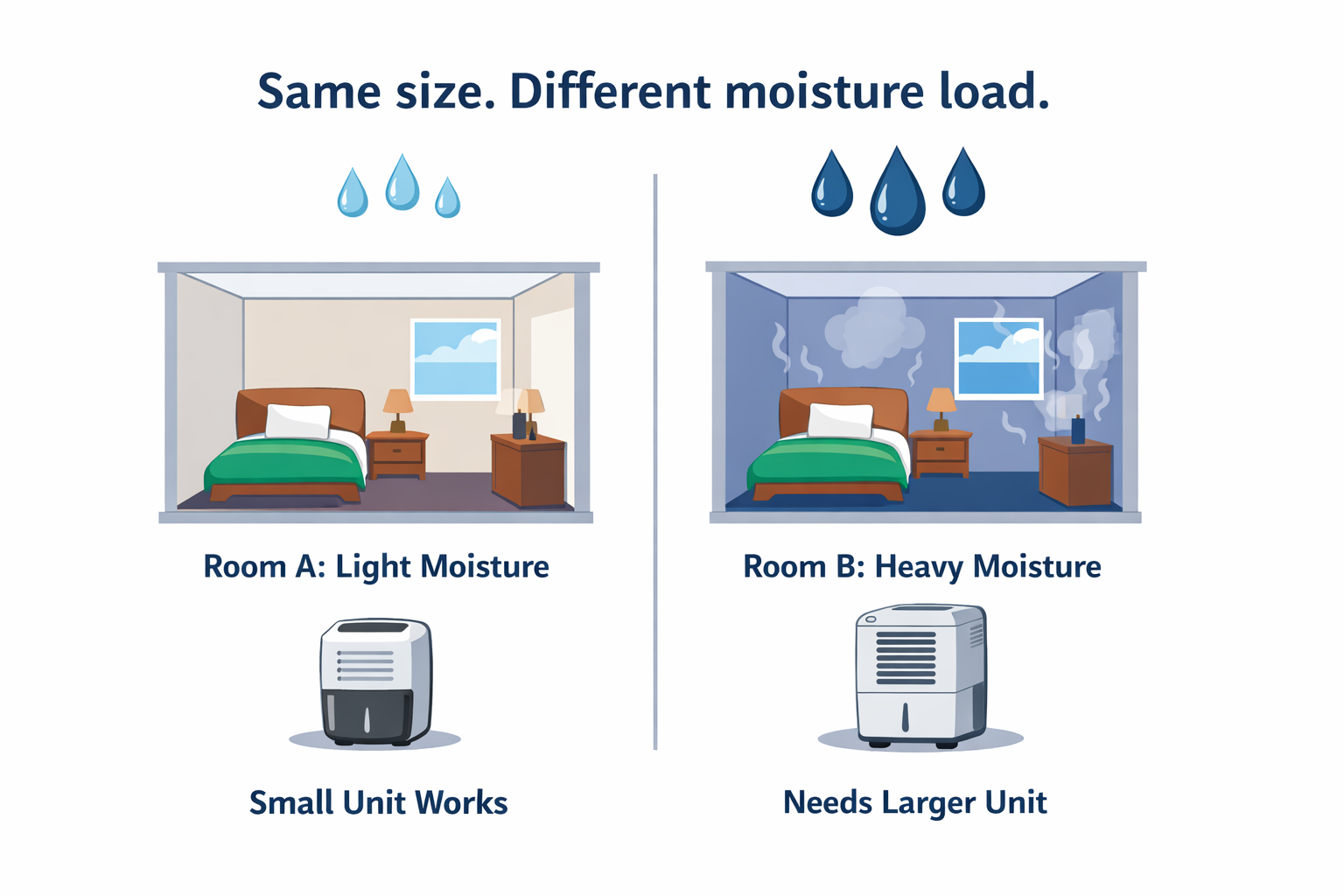
The meter does not fix the problem. It tells you which problem you are actually dealing with.
What humidity number should you watch?
The useful number for most homeowners is relative humidity, usually shown as RH. You do not need to calculate it. Read the percentage and watch how it changes.
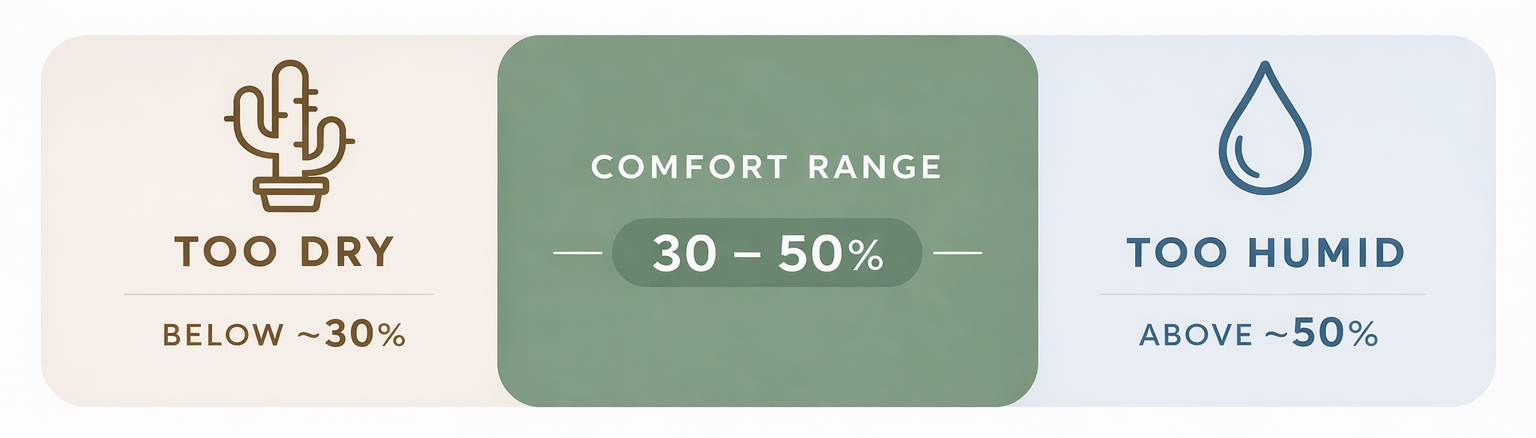
| Reading | What it usually means | What to do next |
|---|---|---|
| Below 30% RH | Air may be too dry, especially in winter | Review dry-air conditions and humidifier guidance |
| 30% to 50% RH | Comfort range for many homes | Keep watching if comfort complaints continue |
| 50% to 55% RH | Watch range | Check problem rooms and moisture sources |
| 55% to 60% RH | Damp-leaning range | Review damp-air conditions and equipment sizing |
| Above 60% RH | A moisture problem is more likely | Check moisture sources, airflow, and lower-level dampness |
Do not treat one reading as a final answer. A house can move from 42% to 55% during weather changes, showers, cooking, or HVAC cycling. What matters is whether the readings keep returning to a problem range.
Where to place a humidity meter
Good placement matters more than expensive equipment. A basic humidity meter in the right spot usually tells you more than a sophisticated sensor sitting next to a vent, window, or bathroom door.
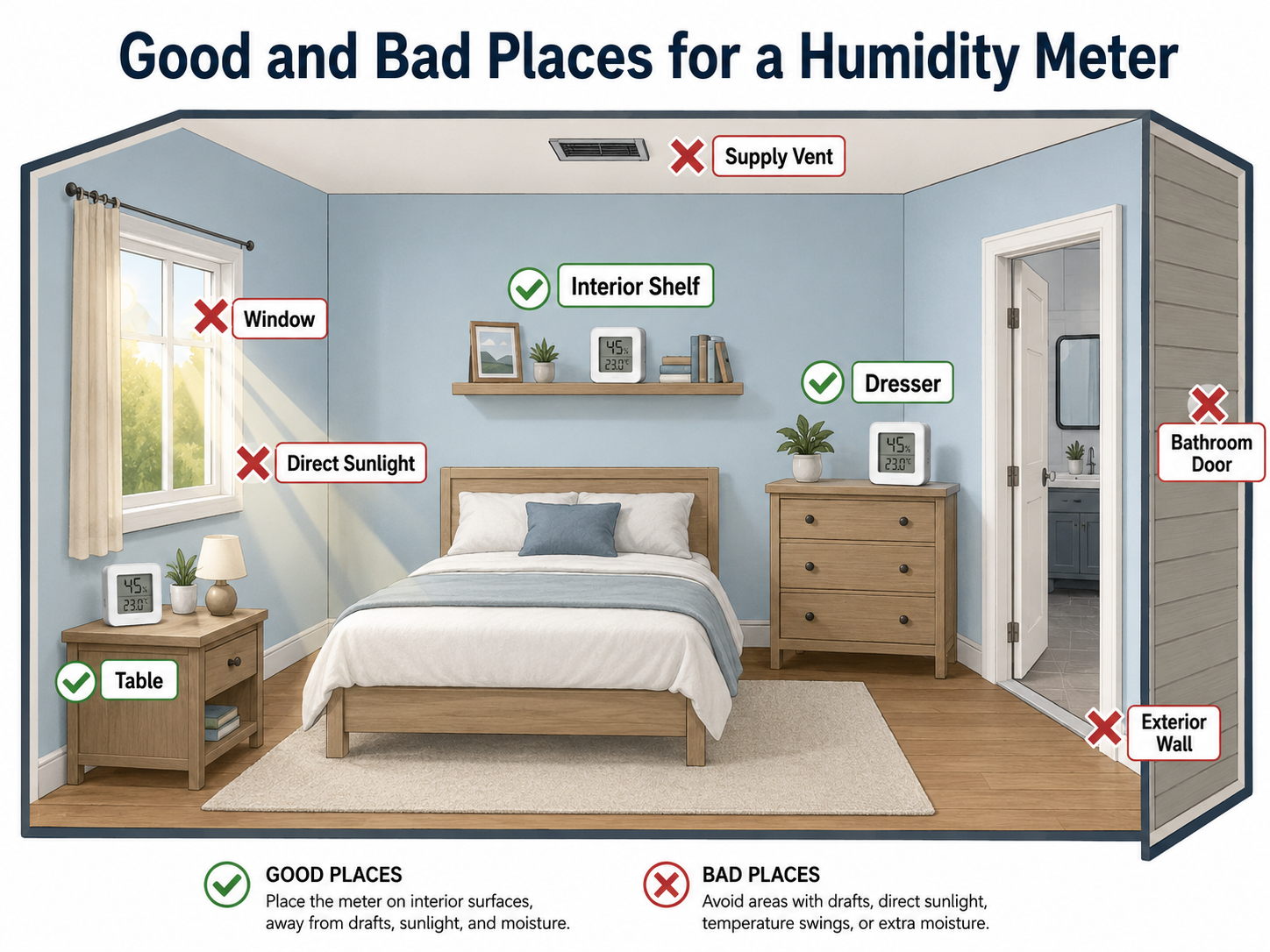
| Good placement | Bad placement |
|---|---|
| Interior shelf | Direct sunlight |
| Dresser or table | Beside a supply vent |
| Normal occupied area | Beside a return grille |
| About 4 to 5 feet above the floor | Right beside a window or exterior door |
| Away from humidity-control equipment | Beside a humidifier or dehumidifier |
| Problem room when diagnosing a local issue | Inside a temporary shower or cooking moisture spike unless that event is being tested |
The goal is to measure the air people live in. Do not measure the window frame. Do not measure the vent blast. Do not measure the wall corner behind a couch unless that corner is the actual problem you are investigating.
Allow the reading to stabilize
A humidity meter does not always show the final room reading immediately after it is moved. Give a portable meter at least 30 to 60 minutes in the new location before recording the result. A large temperature difference, such as moving the meter from a cold basement to a warm bedroom, can require more time.
Do not compare rooms immediately after carrying the same meter between them. Let the sensor adjust first, or use separate meters so each one remains in place.
For a detailed room-by-room and multi-level plan, use the humidity meter placement guide.
How many places should you measure?
One humidity reading rarely tells the whole story. A thermostat in a hallway may show 45% RH while the basement is at 65% and an upstairs bedroom is at 28%.
Start with distinct zones
- Basement or lowest level: Checks below-grade moisture and dampness
- Main living area: Checks normal daily comfort
- Bedroom level: Checks nighttime conditions and dry-air complaints
- Known problem room: Checks whether the problem is local rather than whole-house
A small open-plan apartment may need only one meter. A two-story house normally benefits from one on each occupied floor. A basement or crawlspace should be treated as a separate zone. A closed bedroom, laundry room, or other problem area may justify another sensor.
You do not need a sensor in every corner. You need enough readings to determine whether the problem is local, floor-specific, or whole-house.
How long should you measure before deciding?
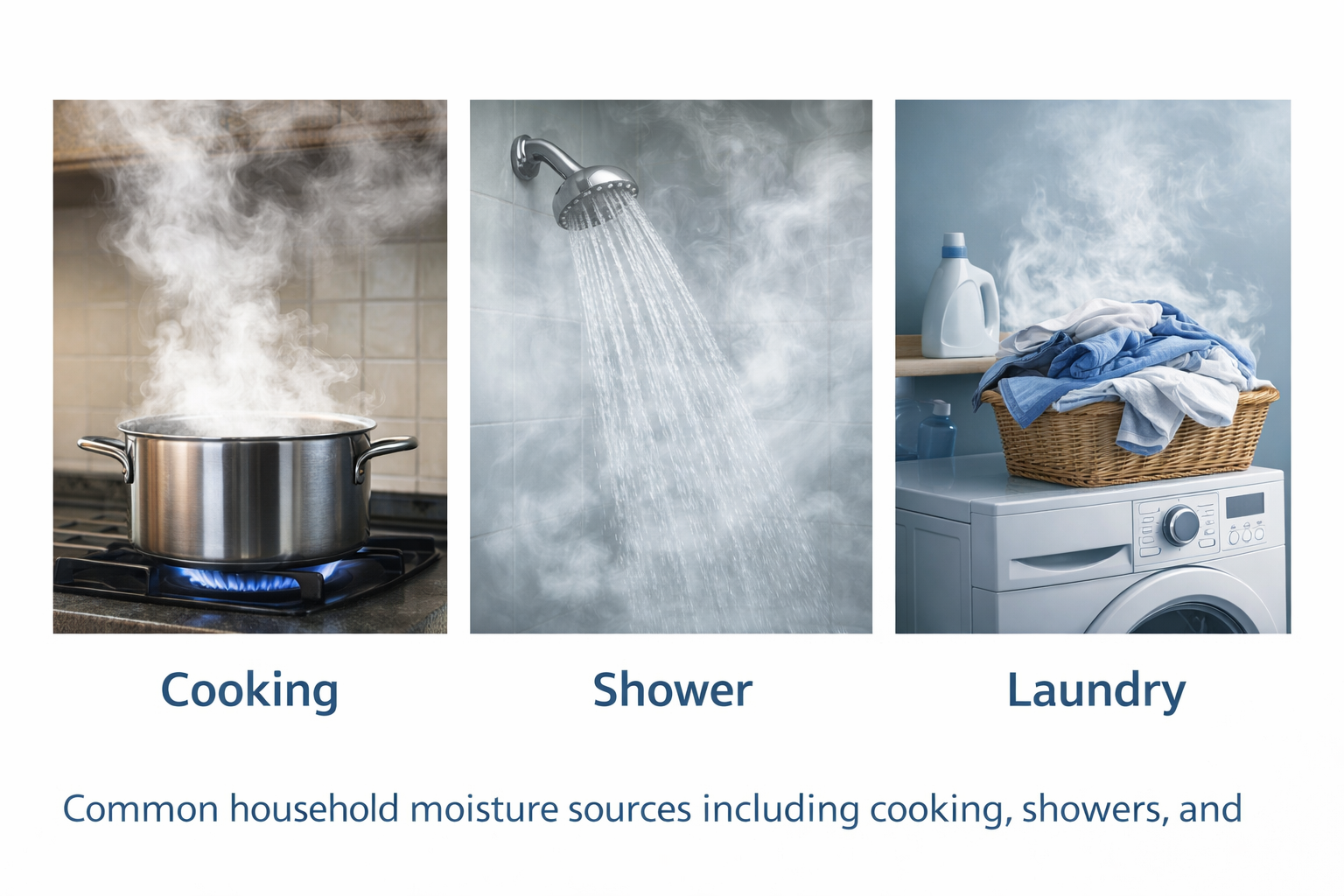
Do not make a buying decision from one number. Humidity changes with weather, HVAC operation, cooking, showers, open windows, occupancy, and time of day.
Three-day quick check
Use this when the problem is obvious and conditions are reasonably stable. Check morning and evening, then compare rooms and floors.
Seven-day better read
Use this when readings are borderline, the weather is changing, or you are deciding whether to buy humidity-control equipment.
Check at roughly the same times each day. Morning readings show overnight behavior. Evening readings show the effects of occupancy, cooking, showers, outdoor conditions, and HVAC operation.
Also check after rain or humid weather, during a cold spell, after showers or cooking when those are suspected triggers, and after the HVAC has been running normally.
You are looking for patterns: a basement that stays above 60% RH, bedrooms that drop below 30% RH overnight, humidity spikes that recover, or one room that remains different from the rest of the house.
Single reading versus a humidity trend
A single reading tells you what the meter sees at that moment. A trend tells you whether the house keeps returning to the same condition.
| What you observe | What it probably means |
|---|---|
| Humidity rises during a shower or cooking and then falls again | Temporary moisture event |
| One unusual reading during changing weather | Worth watching, but not enough for an equipment decision |
| Morning and evening readings stay high for several days | Persistent moisture condition |
| Readings remain low throughout a cold-weather period | Persistent dry-air condition |
| One room repeatedly differs from the rest of the house | Local airflow, temperature, or moisture issue |
| Every level moves in the same direction | Broader whole-house or weather-related condition |

Use three days when the problem is obvious and conditions are stable. Use seven days when readings are borderline, weather is changing, or the result may lead to an equipment purchase. Do not size a humidifier or dehumidifier from one reading.
Download the Home Humidity Tracking Log
Use this free tracking log to record humidity, temperature, outdoor weather, HVAC operation, and anything that may have affected the reading. The second page explains where, when, and how to measure.
PDF is best for printing. DOCX is best for typing directly into the log or adapting it for your household.
Simple home humidity tracking method
A few days of written readings often make the pattern obvious. Use the downloadable tracking log above, or record the same information in a notebook or phone note. The format matters less than being consistent.
| What to track | Why it matters |
|---|---|
| Date and time | Shows whether readings follow a repeated daily pattern |
| Room or floor | Shows whether the problem is local or whole-house |
| Morning RH | Shows overnight behavior |
| Evening RH | Shows daily living and HVAC behavior |
| Temperature | Helps explain why RH changes even when moisture has not changed much |
| Outdoor weather | Helps explain rain, cold snaps, and humid outdoor air |
| HVAC mode | Shows whether heating, cooling, or fan operation changes readings |
| Notes | Captures showers, cooking, laundry, open windows, odors, condensation, or dryness |
You do not need a perfect log. You need enough information to see what the house keeps doing.
Choose your humidity measuring setup
Disclosure: This page includes affiliate links. If you buy through those links, HumidityAtHome may earn a small commission at no extra cost to you.
As an Amazon Associate I earn from qualifying purchases.
You do not need the same tool for every home. Pick the simplest setup that answers the question you actually have. For a broader comparison of meter types and features, see Best Indoor Humidity Meters for Home Use.
Budget option
Use this when you want a low-cost way to check one room or move a meter around the house.
A basic humidity meter with high and low memory is better than a one-time spot check because it shows what happened while you were not watching.
- Current RH reading
- Temperature reading
- High and low memory
- Simple tabletop or shelf placement
Multi-room option
Use this when you want to compare several places from one display.
This works well for a basement, main floor, bedroom level, garage-adjacent room, or outdoor reference point. It is convenient for spot checks, but it is not the same as full trend logging.
- Multiple remote sensors
- Central display
- Indoor and outdoor sensor support
- Readings without relying on an app
Hands-off smart sensor
Use this when you want history, alerts, and phone-app tracking.
This is the better path for a basement, finished lower level, utility room, crawlspace-adjacent room, or vacation property where you do not want to check a display every day.
- Wi-Fi gateway or hub
- App-based humidity history
- Humidity alerts
- Add-on sensor support
Whole-home smart monitoring
Use this when you want humidity visible inside your HVAC or smart-home setup.
A smart thermostat that shows RH can be useful. It still measures humidity only where the thermostat is installed, so basements, closed bedrooms, bathrooms, and laundry areas may need separate readings.
- RH display
- Smart-home compatibility
- HVAC wiring compatibility
- App access when available
Check wiring compatibility before buying. Some HVAC systems need a C-wire, adapter, or compatibility plate.
For monitoring limitations and the differences between Bluetooth, Wi-Fi, thermostats, alerts, and equipment control, see Using Smart Thermostats and Sensors to Monitor Humidity.
Why your thermostat reading is not enough
Many thermostats do not measure humidity. Some smart thermostats do, but they measure humidity where the thermostat is installed. That is usually a hallway, interior wall, or central area selected for temperature control, not room-by-room humidity diagnosis.
That location may not represent the basement, bedrooms, bathroom hallway, finished lower level, or closed rooms. HVAC cycling and air movement near a return can also make a central reading differ from the conditions people experience elsewhere.
Use the thermostat reading as one data point. Do not use it as the whole story.
Reading the results
Once you have several stabilized readings, use them to decide what problem you actually have.
If readings stay above 55% to 60% RH
The house may be holding too much moisture, especially if readings are high in a basement, lower level, bathroom area, laundry area, or musty room.
If readings stay below about 30% RH
Dry air may be the issue, especially in winter or in bedrooms where people notice dry-air problems overnight.
If readings are mostly between 30% and 50% RH, humidity may not be the main problem. Temperature, airflow, insulation, ventilation, odors, dust, sensor placement, or HVAC performance may be driving the discomfort instead.
If one room is consistently different while the rest of the house is normal, investigate that room before choosing whole-house equipment. Check the sensor location, airflow, exterior surfaces, closed doors, nearby moisture sources, and whether the room is warmer or cooler than the rest of the house.
If a meter produces readings that do not seem believable, follow the humidity meter accuracy check before replacing it.
Final recommendation
Start with the simplest humidity meter setup that answers your question. For one room, a basic meter with high and low memory may be enough. For several rooms, use multiple basic meters or a multi-room monitor. For a basement, vacation property, or long-term monitoring, a connected sensor with history and alerts may be more useful.
Place the meter correctly, allow it to stabilize, compare distinct parts of the house, and record morning and evening readings for several days.
Do not buy a humidifier or dehumidifier because the house feels wrong. Measure first. Then decide whether the problem is damp air, dry air, uneven conditions, or something unrelated to humidity.
A humidity meter does not fix anything. It keeps you from fixing the wrong thing.
Authoritative reference
For public-health guidance on indoor humidity, moisture control, and using a humidity gauge, see the U.S. Environmental Protection Agency’s Care for Your Air guide.